
Build, test, and publish a strategy
Use Canvas, Form, and JSON to create a private strategy, observe it in Paper, submit a version, and steward published work.
Creator turns a market idea into a private, versioned strategy that you can explain, configure, observe in Paper, submit for review, and—when approved—share in the Marketplace. The work is broader than choosing indicators: you are defining who the strategy watches, when it acts, how much it may allocate, how it exits, what happens beside companion strategies, and what future subscribers need to understand.
The Creator journey at a glance
A creator moves through seven distinct stages. Treat each stage as a checkpoint rather than rushing from an idea to a public listing.
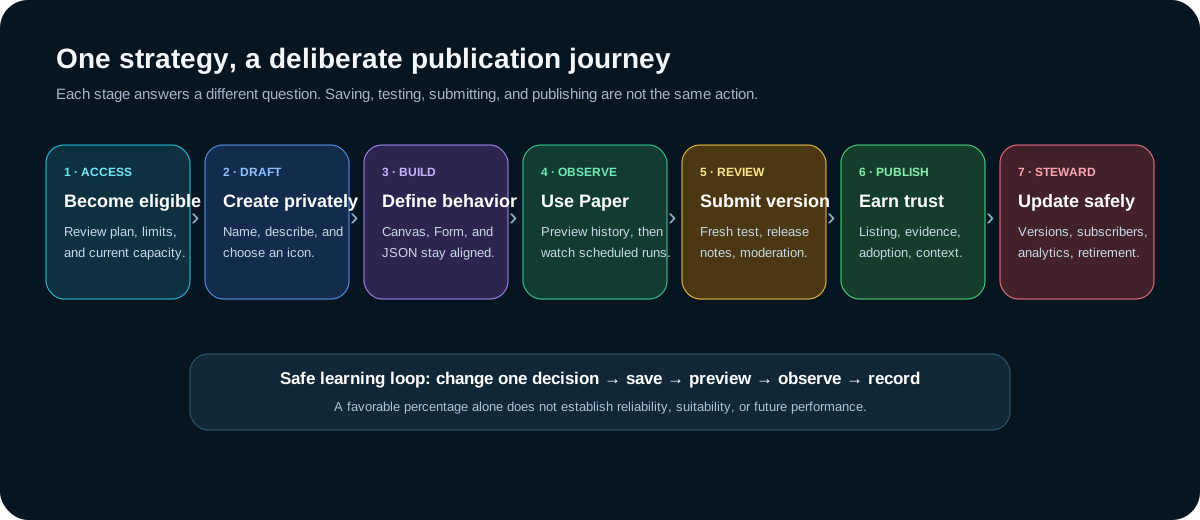
- Confirm access and capacity
Open Billing → Creator plan to review eligibility, current limits, price, renewal status, and the authoritative terms shown before purchase.
- Create a private identity
Choose a distinct name, a plain-language purpose, and an approved icon. These identify the draft without exposing its rule values.
- Build one coherent definition
Use Canvas for the lifecycle, Form for precise controls, or JSON for the complete structured model.
- Preview and observe
Use the historical draft preview for rapid feedback, then add the saved version to Paper to observe scheduled decisions.
- Explain the version
Write release notes that tell a future subscriber what changed, why, and what should be reviewed before accepting it.
- Submit for review
A fresh historical test is recorded and the submitted version locks while moderation reviews it.
- Steward published work
Keep evidence, updates, subscribers, analytics, earnings, reports, and retirement decisions in their proper places.
Enter Creator from the Marketplace
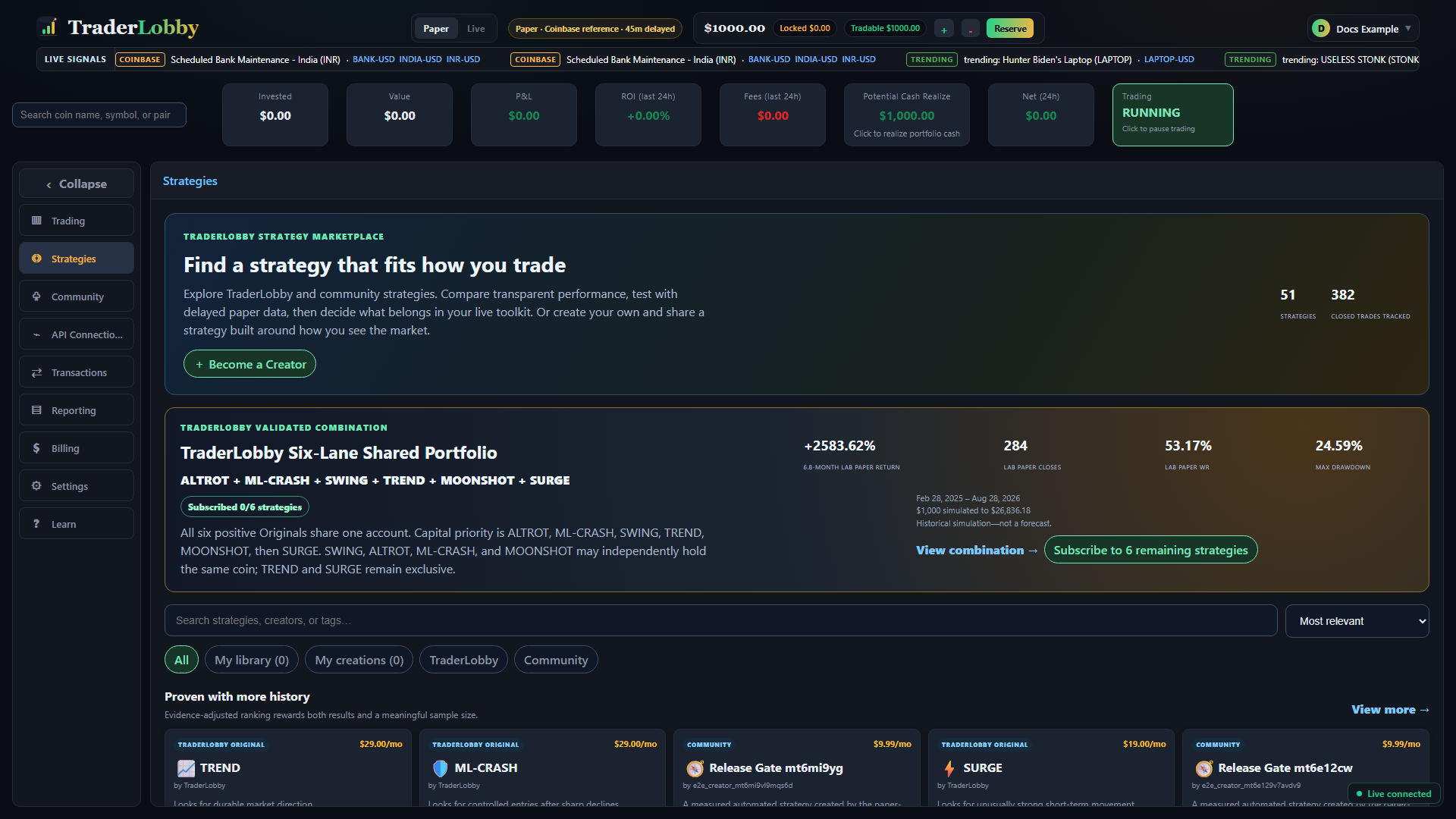
Open Strategies and select Become a Creator. When your account can create another private strategy, the creation dialog opens. When the current plan limit has been reached, TraderLobby sends you to Billing → Creator plan so you can review capacity and terms.
| State | What you can do | What remains separate |
|---|---|---|
| Creation capacity available | Create and retain a private strategy draft within the displayed limit. | Marketplace submission, publication, paid access, and Live use. |
| Creator plan required or limit reached | Review the plan, current usage, capacity, price, and renewal terms. | Starting a plan does not publish, test, or enable a strategy. |
| Creator plan scheduled to end | Use the displayed access-through date and review existing work. | Published-strategy, subscriber, earnings, and archival consequences must be read separately. |
Create the private strategy shell
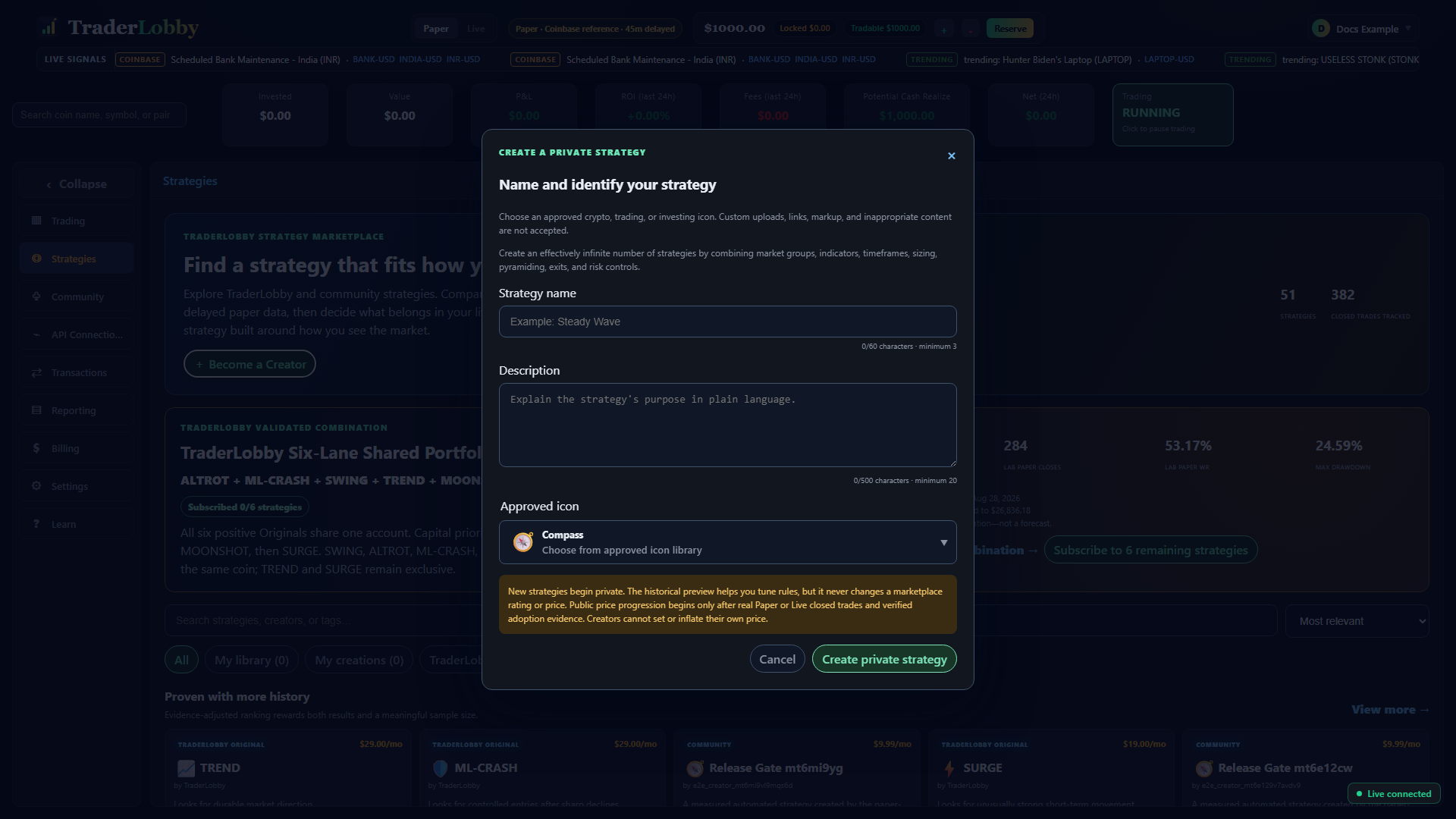
| Field | Requirement | Write it for the customer |
|---|---|---|
| Strategy name | 3–60 plain-text characters and unique among your strategies. | Use a memorable purpose or style, not a return claim, ticker promotion, URL, or guarantee. |
| Description | 20–500 plain-text characters. | Describe the intended market behavior, observation horizon, and important risk—not private thresholds. |
| Approved icon | Select from the provided library. | Use a visual cue that distinguishes the strategy. Custom uploads and embedded media are not accepted. |
Names and descriptions cannot contain markup, links, embedded media, or inappropriate language. After selecting Create private strategy, TraderLobby opens Version 1 in the Universal Strategy Builder.
Read the Universal Strategy Builder
The header identifies the version and status: PRIVATE DRAFT while editable or AWAITING REVIEW after submission. It also summarizes condition count, timeframes, and open slots. Below it, the Historical draft preview recalculates after changes; Add to Paper now saves and enables the current draft in Paper; marketplace identity holds the name and description; the view selector changes how you edit; release notes explain the version; and the final buttons save or submit.
Choose Canvas, Form, or JSON for the task
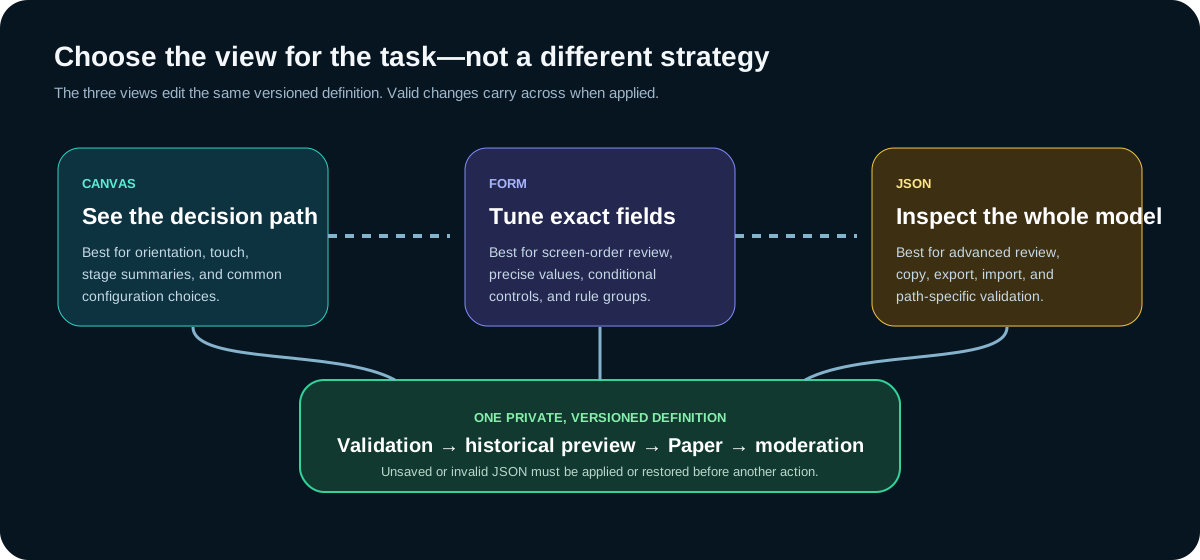
| Mode | Best for | Use another mode when |
|---|---|---|
| Canvas | Understanding the trade lifecycle, opening one stage at a time, touch-friendly changes, and seeing compact summaries. | You need a value not exposed in the simplified control or need to audit every supplied property. |
| Form | Reviewing all common sections in screen order, entering precise numbers, managing rule groups, and configuring conditional fields. | You need nested groups, a structured import/export workflow, or a whole-definition comparison. |
| JSON | Advanced whole-definition inspection, copy, export, import, formatting, path-specific validation, and reproducible review. | You are not comfortable preserving strict JSON structure or want guided controls and summaries. |
Build through the lifecycle in Canvas
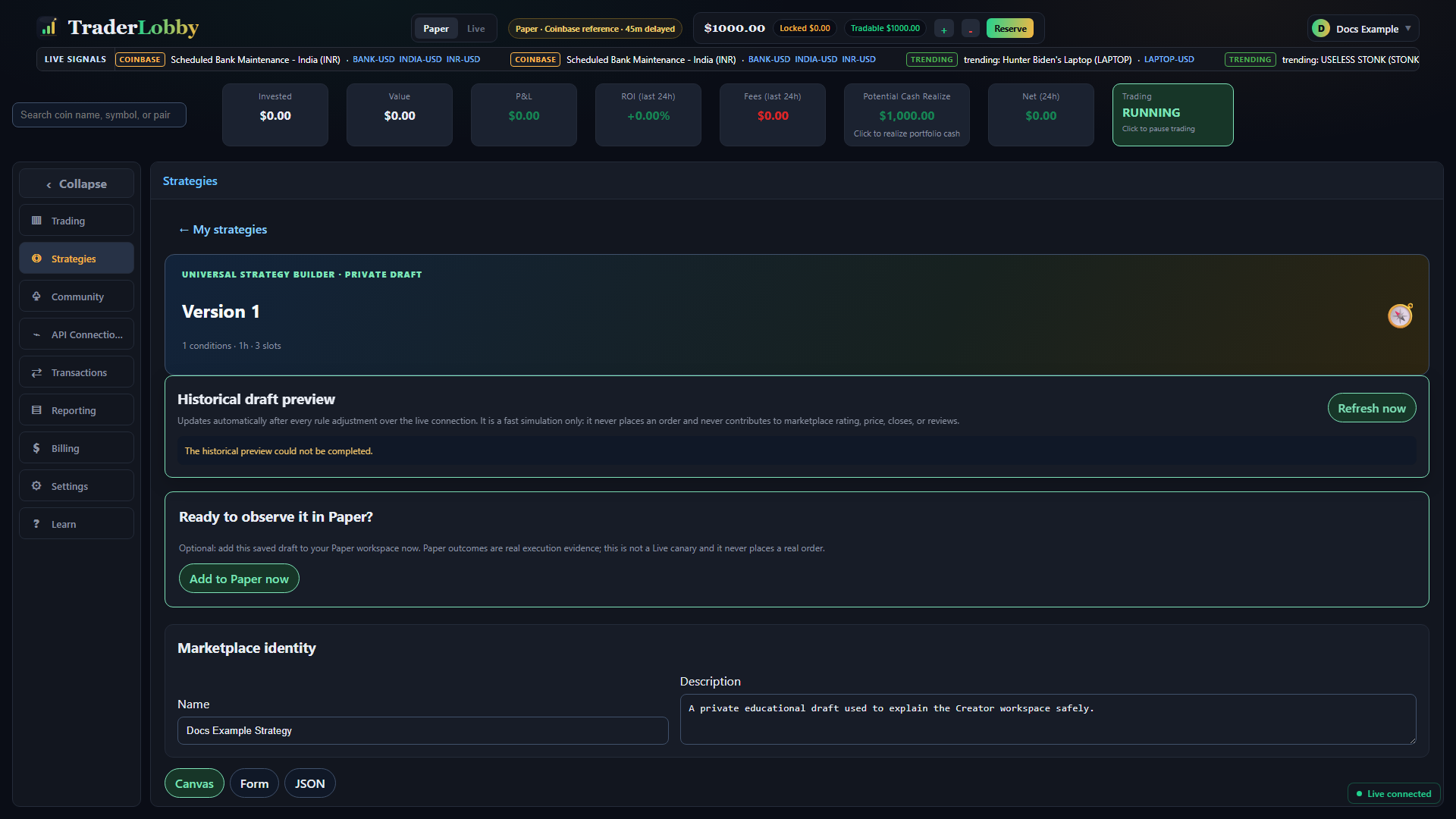
Canvas presents seven lifecycle stages—Market & schedule, Entry logic, Sizing & add-ons, Hold management, Profit taking, Stops & exits, and Cooldown—followed by three groups that govern the whole path: Portfolio risk, Multi-strategy dependencies, and Execution.
| Canvas stage | Question it answers | Important controls |
|---|---|---|
| Market & schedule | Which supported markets can be considered, and when? | Universe, stablecoins, scan rhythm, timeframes, volume, spread, and candle-close evaluation. |
| Entry logic | What combination of observations creates a candidate? | Condition groups, metrics, operators, values, timeframe, lookback, confirmation, and expiry. |
| Sizing & add-ons | How much exposure can begin or be added? | Risk/equity/fixed sizing, slots, per-asset limit, bounded average-down or pyramid-up orders. |
| Hold management | How long may a position remain open? | Minimum, maximum, underwater duration, and conditional extension. |
| Profit taking | How are favorable moves harvested or protected? | Fixed target, tiers, signal exit, trailing activation, and allowed retrace. |
| Stops & exits | Which losses or changing conditions require an exit? | Hard stop, grace, anchor, breakeven, and additional exit groups. |
| Cooldown | When may the strategy consider another entry? | Wait after a win, loss, or any exit. |
| Portfolio risk | Which strategy-wide limits can pause new risk? | Allocation, drawdown lock, daily loss, correlated positions, and pause duration. |
| Dependencies | How does the strategy behave beside author-owned companions? | Activation, companions, ownership conflict, priority, and explicit overrides. |
| Execution | How should eligible entry and exit orders be attempted? | Market/limit choice, offset, slippage ceiling, and minimum order. |
More precise controls opens the corresponding Form controls inside a Canvas stage. This does not create a second copy; it changes the same draft definition.
Tune every common control in Form
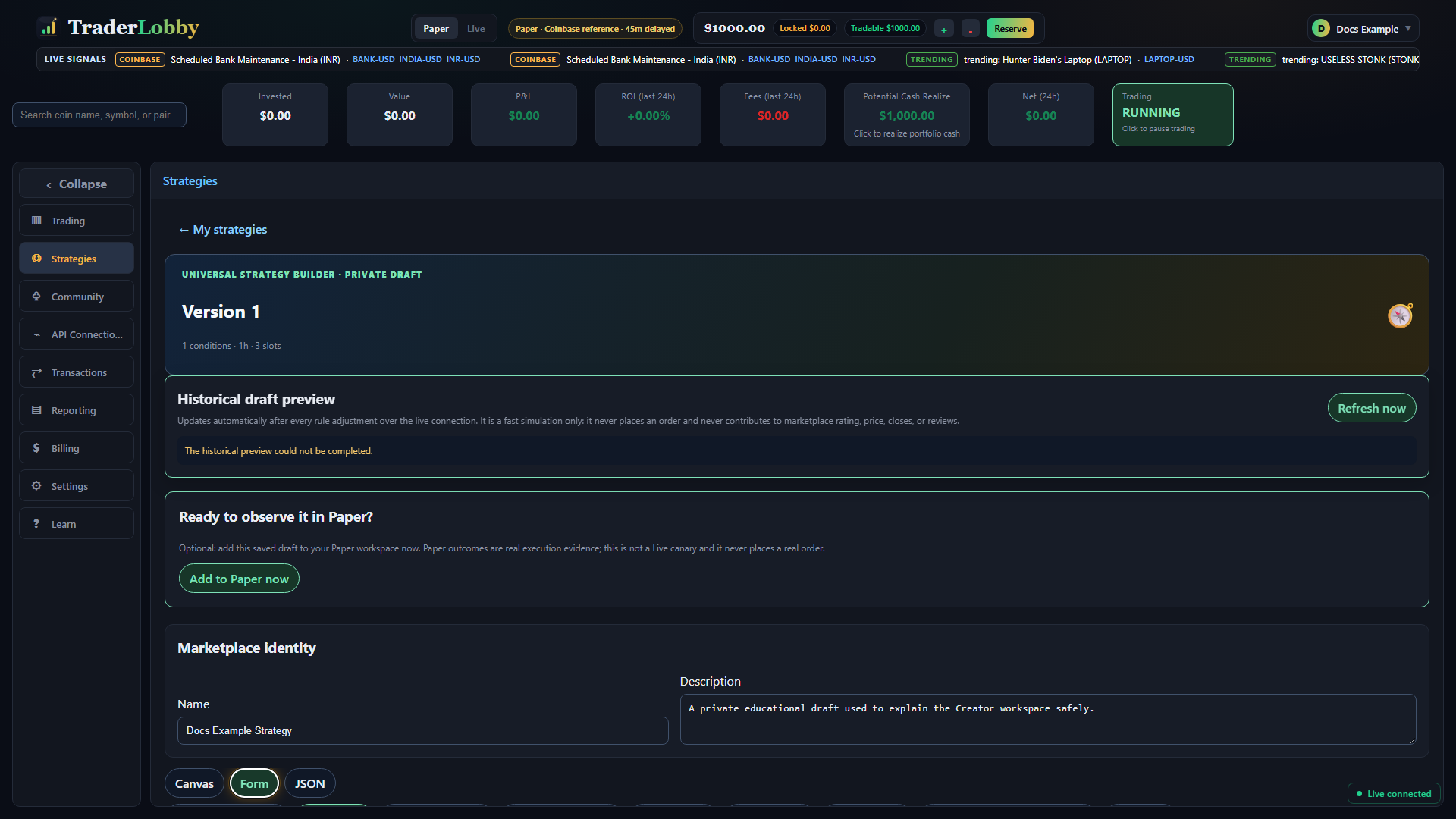
Form organizes the definition into Market & schedule, Entry logic, Sizing & add-ons, Hold management, Profit taking, Stops & exits, Portfolio risk, Multi-strategy dependencies, and Execution. The following reference maps every common Form decision to its JSON path.
| Form label | JSON path | Why and when to use it |
|---|---|---|
| Universe | universe.mode | Choose the starting market set. Use Custom allowlist only when you intentionally maintain symbols. |
| Stablecoins | universe.stablecoins | Exclude by default, include beside other assets, or restrict the universe to stablecoins. |
| Minimum USD volume / Maximum spread / price bounds | universe.minUsdVolume, maxSpreadPct, minPrice, maxPrice | Filter markets whose liquidity, quoted cost, or price range does not fit the idea. |
| Only / Never these symbols | universe.include, universe.exclude | Apply explicit allow or deny lists. An excluded symbol remains excluded. |
| Scan every / history days / timeframes / candle close | schedule.* | Define evaluation frequency, required context, bar families, and whether incomplete candles may trigger decisions. |
| Group logic and rules | entry.groups[] | Combine observations with all, any, or at-least logic. Prefer the simplest tree that expresses the hypothesis. |
| Confirmation / expiry bars | entry.confirmationBars, signalExpiryBars | Require persistence and limit how long an old signal stays actionable. |
| Sizing method / value / slots / per asset | sizing.* | Define initial exposure and concurrency. The meaning of value depends on the sizing method. |
| Add-on controls | addOns.* | Optionally scale into weakness or strength with bounded order count, spacing, and size progression. |
| Hold and underwater timing | hold.*, exit.underwaterMinutes | Set earliest and latest normal exits, prolonged-loss handling, and an optional rule-based extension. |
| Profit-taking and trailing controls | takeProfit.*, trailing.* | Choose a fixed target, partial tiers, a condition, or profit protection after activation. |
| Hard stop and breakeven | stopLoss.* | Bound a loss, choose the entry anchor, allow grace where justified, and optionally raise protection after a favorable move. |
| Additional exit groups | exit.groups[] | Close when market or position observations satisfy an independent exit tree. |
| Portfolio risk and cooldowns | portfolioRisk.*, cooldowns.* | Apply strategy-wide circuit breakers and recovery waits above individual positions. |
| Dependencies and overrides | partnerships.* | Change behavior only when selected author-owned companion strategies are active. |
| Order execution | execution.* | Choose fill priority or price control and state cost assumptions. |
Write understandable condition groups
A condition tree contains groups and rules. Entry requires at least one group; exit may be empty. Each group can contain up to 25 rules, up to 10 sibling groups are allowed at one level, and nested groups may be no more than three levels deep.
| Group choice | Meaning | Use carefully |
|---|---|---|
all | Every enabled rule in the group must pass. | Each extra rule narrows opportunity and may create very small samples. |
any | One enabled rule is sufficient. | One permissive rule can dominate the group. |
at_least | The configured minimum number of rules must pass. | The minimum must make sense for the number of rules. |
| Rule field | How to configure it | Common mistake |
|---|---|---|
metric | Select the observation the rule evaluates. | Comparing metrics with different units as if they were interchangeable. |
operator | Choose greater/less, cross, range, direction, or equality logic. | Using between/outside without a second value or reversing lower and upper bounds. |
value / value2 | Enter the threshold in the metric’s displayed unit; value2 is required for between/outside. | Typing a decimal fraction when the metric label expects percent points, or vice versa. |
timeframe | Choose 1m, 5m, 15m, 30m, 1h, 4h, or 1d. | Expecting a long-window metric to stabilize with too little recorded history. |
lookback | Use an integer from 1 through 5000 bars. | Confusing bars with minutes or days; the duration depends on timeframe. |
Understand every supported rule metric
Metrics are observations, not predictions. Their interpretation depends on timeframe and lookback. Compare like units and verify that the displayed historical window contains enough observations.
| Metric key | What it represents | Typical use |
|---|---|---|
price | Current observed asset price. | Absolute price thresholds; currently most practical through JSON. |
return_pct | Price change over the lookback. | Momentum, pullback, or reversal context. |
price_vs_sma_pct / price_vs_ema_pct | Price distance from a simple or exponential moving average. | Trend location or mean-reversion distance. |
rsi | Relative Strength Index over the chosen window. | Momentum-state filters; not a standalone guarantee of reversal. |
macd / macd_signal | MACD value and its signal line. | Direction, convergence, divergence, or cross logic. |
bollinger_position | Price location within or around Bollinger bands. | Relative stretch or range position. |
atr_pct / volatility | ATR as a percentage and realized variability. | Volatility filters and risk context. |
volume_ratio / usd_volume | Relative trading activity and absolute USD volume. | Participation confirmation and liquidity filtering. |
hit_rate | Share of positive bars in the lookback. | Persistence of favorable bars. |
bounce_from_local_low | Recovery from a recent local low. | Confirmation after a decline. |
breakout_pct | Distance beyond a recent reference high or range. | Breakout magnitude. |
drawdown_pct | Decline from a prior high. | Pullback depth and deterioration filters. |
market_regime | Normalized broader-market condition score. | Require supportive or defensive context without treating it as certainty. |
btc_return_pct | Bitcoin price change over the lookback. | Market-leader context for non-Bitcoin assets. |
beta_to_btc / beta_residual_pct | Sensitivity to Bitcoin and return beyond that relationship. | Separate broad-market movement from asset-specific behavior. |
return_acceleration_pct | Change in return pace. | Strengthening or weakening movement. |
trend_established_bars | Number of consecutive bars supporting the trend definition. | Trend persistence. |
volatility_ratio | Current volatility relative to a prior window. | Volatility expansion or contraction. |
time_in_position | Elapsed position duration. | Position-aware exit or extension conditions. |
position_return_pct / peak_return_pct | Current position return and best return reached. | Profit protection, deterioration, or exit logic. |
underwater_minutes | Time the position has remained below its reference value. | Exit or extension decisions based on sustained weakness. |
Use JSON as a controlled advanced workflow
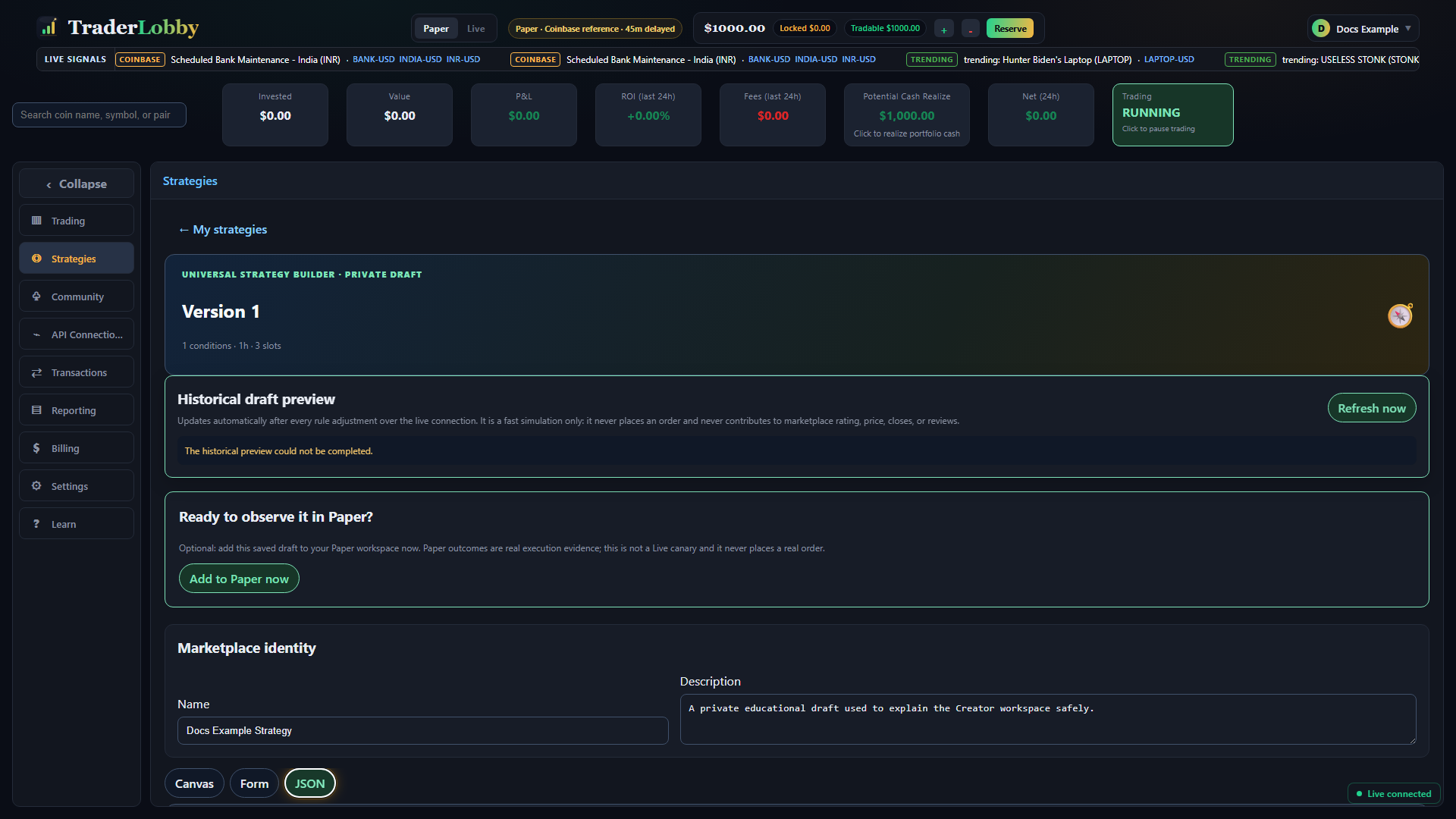
- Export before a broad change
Use Export file to preserve a readable copy of the owner-only definition. Anyone receiving the file can inspect and import its logic.
- Edit one section
Keep keys, braces, brackets, commas, strings, and number types intact. Tab inserts spaces inside the editor.
- Read automatic validation
Syntax errors identify malformed text; schema errors identify a path whose value or structure is unsupported.
- Format and inspect
Use Format JSON after it parses so nested structure and unintended changes are easier to see.
- Apply deliberately
Select Use JSON in draft only after the status says every required and supplied optional value is valid.
- Recheck Canvas or Form
Confirm the lifecycle summaries and conditional controls match your intent before saving or testing.
Strategy JSON complete key and value reference
The current customer-authorable schema is Version 2. Every required top-level section is an object. Unless a stricter rule is listed, numeric fields must be finite; use nonnegative values and the Form or Canvas control as the practical guide. Validation remains authoritative.
| Path | Type, values, and default | Why, when, and how |
|---|---|---|
schemaVersion | Required number; exactly 2. | Identifies the supported definition contract. Do not change it. |
universe.mode | top_20, top_100 (default), all_supported, top_volume, trending, relative_volume, volatile, mean_reversion, core, or custom. | Selects the starting market population. Custom relies on include; dynamic modes are re-resolved from current eligible data. |
universe.include | String array, default empty; maximum 250. | Restricts dynamic modes when nonempty or supplies the Custom allowlist. Use normalized supported symbols such as BTC-USD. |
universe.exclude | String array, default empty; maximum 250. | Removes symbols after inclusion. Use for known exclusions, not as a substitute for liquidity filters. |
universe.minUsdVolume | Number, default 500000. | Rejects markets below the desired USD-volume floor. |
universe.minPrice / maxPrice | Numbers, defaults 0.000001 and 1000000. | Bounds eligible quoted prices. Keep minimum at or below maximum. |
universe.maxSpreadPct | Number, default 1 percentage point. | Rejects markets whose observed spread exceeds the cost assumption. |
universe.stablecoins | exclude (default), include, or only. | Controls stablecoin-base inclusion. |
schedule.timeframes | String array using 1m, 5m, 15m, 30m, 1h, 4h, 1d; default ["1h"]. | Declares bar families used by the definition. Include every timeframe referenced by rules. |
schedule.scanIntervalMin | Number, default 15 minutes. | Sets evaluation rhythm. A shorter scan does not create missing completed bars. |
schedule.barCloseOnly | Boolean, default true. | When true, waits for completed candles and avoids acting on an unfinished bar. |
schedule.historyLookbackDays | Integer-like number, default 30; validation range 1–400 days. | Requests enough preceding context for the longest rules. More history does not guarantee a larger valid sample. |
entry.groups | Required RuleGroup array; 1–10 top-level groups. | Defines candidate entry logic. Keep the tree explainable and testable. |
entry.confirmationBars | Number, default 1. | Requires the entry condition to persist across bars. |
entry.signalExpiryBars | Number, default 1. | Limits how many bars an eligible signal remains current. |
sizing.mode | risk_pct (default), equity_pct, or fixed_usd. | Defines whether sizing value represents risk percentage, exposure percentage, or dollars. |
sizing.value | Number, default 1. | Magnitude interpreted by sizing.mode. Recheck when changing modes. |
sizing.maxSlots | Integer-like number, default 3; range 1–50. | Caps concurrently used strategy slots; account-level availability can be lower. |
sizing.maxPerAsset | Number, default 1. | Caps positions attributed to the same asset within the strategy. |
addOns.enabled | Boolean, default false. | Enables bounded follow-on orders after the initial entry. |
addOns.direction | average_down (default) or pyramid_up. | Chooses adding after adverse movement or confirmed favorable movement. |
addOns.maxOrders | Number, default 0. | Caps additional orders. Zero produces no add-ons even when enabled. |
addOns.deviationPct | Number, default 2 percentage points. | Sets the first dip or gain step from the reference. |
addOns.stepMultiplier | Number, default 1. | Scales spacing between later add-ons. |
addOns.sizeMultiplier | Number, default 1. | Scales the size of later add-on orders. |
hold.minimumMinutes / maximumMinutes | Numbers, defaults 0 and 4320. | Define normal earliest and latest holding boundaries. Keep minimum at or below maximum. |
hold.extendWhen | RuleGroup or null; default null. | Allows a qualifying position to remain beyond maximumMinutes. Use only with an extension duration. |
hold.extendMinutes | Number, default 0. | Adds time when extendWhen passes. |
takeProfit.mode | fixed (default), tiers, or signal. | Selects one target, partial exits, or condition-based profit taking. |
takeProfit.fixedPct | Number, default 10. | Fixed target in percentage points when mode is fixed. |
takeProfit.tiers[] | Array up to 12; default one tier at 10% threshold and 100% fraction. | Each object uses thresholdPct and fractionPct. Order tiers from lower to higher trigger and ensure intended fractions are coherent. |
takeProfit.signal | RuleGroup or null; default null. | Condition tree used when mode is signal. |
stopLoss.enabled / pct | Boolean true and number 5 by default. | Enables and sets the hard-loss boundary. |
stopLoss.graceMinutes | Number, default 0. | Delays application for an intentional opening period; grace also leaves loss exposure unprotected during that time. |
stopLoss.anchor | average (default) or initial. | Chooses whether the loss percentage references average cost or the first entry. |
stopLoss.moveToBreakeven.enabled | Boolean, default false. | Allows the stop reference to move after favorable progress. |
stopLoss.moveToBreakeven.activationPct / offsetPct | Numbers, defaults 5 and 0. | Set the gain that activates the move and the intended offset around breakeven. |
trailing.enabled | Boolean, default false. | Enables protection based on retrace from a favorable peak. |
trailing.activationPct / trailPct | Numbers, defaults 5 and 3. | Set when trailing begins and the allowed retrace. |
trailing.tiers[] | Array up to 12; default empty. | Each object uses peakPct and trailPct for stage-specific trailing behavior. |
exit.groups | RuleGroup array, default empty; maximum 10 top-level groups. | Adds indicator- or position-based exits independently of stops and profit taking. |
exit.underwaterMinutes | Number, default 0. | Supports prolonged-underwater exit behavior; zero disables the time threshold. |
cooldowns.afterWinMinutes / afterLossMinutes / afterAnyExitMinutes | Numbers, defaults 480, 480, and 0. | Delay new eligibility after the corresponding completed exit. Overlapping waits should be reviewed as a system. |
portfolioRisk.maxAllocationPct | Number, default 75. | Caps the strategy’s share of eligible portfolio allocation. |
portfolioRisk.maxStrategyDrawdownPct | Number, default 20. | Locks strategy risk after the configured drawdown. |
portfolioRisk.maxDailyLossPct | Number, default 5. | Acts as a daily loss circuit breaker. |
portfolioRisk.maxCorrelatedPositions | Number, default 3. | Caps simultaneous positions treated as correlated. |
portfolioRisk.pauseMinutes | Number, default 120. | Sets the lock recovery period before evaluation may resume. |
execution.entryOrder / exitOrder | market (default) or limit. | Market prioritizes an attempt to fill; limit prioritizes a price boundary and may not fill. |
execution.limitOffsetPct | Number, default 0. | Offsets limit pricing when a limit order is selected. |
execution.maxSlippagePct | Number, default 1. | States the maximum acceptable slippage assumption; provider behavior and liquidity still matter. |
execution.minOrderUsd | Number, default 5. | Rejects calculated orders below the strategy floor; exchanges may impose higher rules. |
partnerships.enabled | Boolean, default false. | Activates a companion-dependent profile. |
partnerships.activation | all (default) or any. | Requires all selected companions or at least one to be active. |
partnerships.companionStrategyKeys | Author-owned strategy-key array, default empty; 1–12 when enabled. | Names the eligible companions. You cannot depend on another creator’s private strategy. |
partnerships.overrides | Object, default empty; serialized maximum 50,000 characters. | May replace schedule, entry, sizing, addOns, hold, takeProfit, stopLoss, trailing, exit, cooldowns, portfolioRisk, or execution while the profile is active. Omitted sections inherit standalone behavior. |
partnerships.overlap.policy | coexist (default), exclusive_priority, or highest_signal. | Controls whether partners may separately own the same asset or one receives priority. |
partnerships.overlap.priorityWeight | Number 0–100, default 50. | Ranks this strategy when priority-based ownership applies. |
partnerships.overlap.onConflict | allow_both (default), block_new, or replace_lower. | Defines the action when a companion already owns the asset. Replacement can add exits, fees, taxes, delay, and slippage. |
RuleGroup and Rule JSON reference
| Path | Supported value | Purpose and caution |
|---|---|---|
group.id | Required nonempty string. | Stable identity for editing and validation; keep unique within your definition. |
group.operator | all, any, or at_least. | Combines the group’s rules and child groups. |
group.minimum | Number; relevant to at_least. | Required pass count. Keep it achievable by the group’s enabled members. |
group.rules | Array, maximum 25 per group. | Direct observations evaluated by this group. |
group.groups | Optional RuleGroup array; maximum 10 at a level and maximum nesting depth 3. | Expresses nested logic. Deep trees are harder to explain and validate. |
rule.id | Required nonempty string. | Stable identity; keep unique. |
rule.metric | One supported metric key from the metric table. | Observation on the left side of the comparison. |
rule.operator | greater_than, less_than, crosses_above, crosses_below, between, outside, rising, falling, or equals. | Comparison behavior. Between/outside require value2. |
rule.value | Required finite number. | Primary threshold. |
rule.value2 | Finite number when supplied; required for between/outside. | Second range boundary. |
rule.compareMetric | Optional supported metric key. | Advanced JSON comparison against another compatible observation; verify units and behavior in Paper. |
rule.timeframe | 1m, 5m, 15m, 30m, 1h, 4h, or 1d. | Bar interval used by the rule. |
rule.lookback | Optional integer 1–5000. | Number of bars used to calculate the observation. |
rule.enabled | Optional boolean. | Temporarily includes or excludes a rule without deleting it. Reconfirm group minimums afterward. |
Read a small, complete JSON example
The following example uses the default Version 2 structure and one simple entry rule. It is educational, not a recommended strategy.
{
  "schemaVersion": 2,
  "universe": { "mode": "top_100", "include": [], "exclude": [], "minUsdVolume": 500000, "minPrice": 0.000001, "maxPrice": 1000000, "maxSpreadPct": 1, "stablecoins": "exclude" },
  "schedule": { "timeframes": ["1h"], "scanIntervalMin": 15, "barCloseOnly": true, "historyLookbackDays": 30 },
  "entry": { "groups": [{ "id": "entry-1", "operator": "all", "rules": [{ "id": "rule-1", "metric": "price_vs_sma_pct", "operator": "greater_than", "value": 1, "timeframe": "1h", "lookback": 20 }], "groups": [] }], "confirmationBars": 1, "signalExpiryBars": 1 },
  "sizing": { "mode": "risk_pct", "value": 1, "maxSlots": 3, "maxPerAsset": 1 },
  "addOns": { "enabled": false, "direction": "average_down", "maxOrders": 0, "deviationPct": 2, "stepMultiplier": 1, "sizeMultiplier": 1 },
  "hold": { "minimumMinutes": 0, "maximumMinutes": 4320, "extendWhen": null, "extendMinutes": 0 },
  "takeProfit": { "mode": "fixed", "fixedPct": 10, "tiers": [{ "thresholdPct": 10, "fractionPct": 100 }], "signal": null },
  "stopLoss": { "enabled": true, "pct": 5, "graceMinutes": 0, "anchor": "average", "moveToBreakeven": { "enabled": false, "activationPct": 5, "offsetPct": 0 } },
  "trailing": { "enabled": false, "activationPct": 5, "trailPct": 3, "tiers": [] },
  "exit": { "groups": [], "underwaterMinutes": 0 },
  "cooldowns": { "afterWinMinutes": 480, "afterLossMinutes": 480, "afterAnyExitMinutes": 0 },
  "portfolioRisk": { "maxAllocationPct": 75, "maxStrategyDrawdownPct": 20, "maxDailyLossPct": 5, "maxCorrelatedPositions": 3, "pauseMinutes": 120 },
  "execution": { "entryOrder": "market", "exitOrder": "market", "limitOffsetPct": 0, "maxSlippagePct": 1, "minOrderUsd": 5 },
  "partnerships": { "enabled": false, "activation": "all", "companionStrategyKeys": [], "overrides": {}, "overlap": { "policy": "coexist", "priorityWeight": 50, "onConflict": "allow_both" } }
}
Verify a cross-mode change
- Choose one decision
For example, change Maximum open slots rather than changing entry, sizing, and exits together.
- Change it in Canvas
Open Sizing & add-ons and set Open slots.
- Confirm it in Form
Open Sizing & add-ons and read Maximum open slots.
- Confirm its JSON path
Open JSON and find
sizing.maxSlots. Do not edit unrelated text. - Save the private draft
Wait for the Private draft saved message.
- Reopen and verify
Return to My creations, reopen the strategy, and confirm the value before interpreting a preview.
Separate historical preview from Paper observation
| Evidence source | What it answers | What it does not prove |
|---|---|---|
| Historical draft preview | How the current draft would have behaved under the displayed window and assumptions. | Future performance, marketplace evidence, a live fill, rating, price, or subscriber outcome. |
| Creator’s Paper workspace | How the saved draft evaluates on its schedule with simulated orders and delayed market data. | Live execution quality, real liquidity, actual fees, or customer suitability. |
| Customer Paper evidence | Observed simulated use after publication. | Live performance. |
| Live evidence | Eligible completed real-money attributed activity. | A promise, recommendation, or guarantee. |
The preview updates quickly and can help catch a broken or overly restrictive idea. Read return beside simulated closes, win rate, maximum drawdown, date window, and assumptions. A large return from very few closes is fragile evidence.
Run a careful Paper observation cycle
- Save a named version of the idea
Record what you expect the changed setting to influence.
- Select Add to Paper now
Wait for confirmation that the saved draft was added and enabled in Paper.
- Observe candidates and skips
Use Trading to see eligibility, slot use, positions, exits, and reasons rather than watching P&L alone.
- Trace completed activity
Use Transactions and Reporting to connect decisions, orders, fills, fees, and outcomes.
- Keep the observation window honest
Include inactive and unfavorable periods; do not stop the review only when a favorable result appears.
- Change one boundary next
Preserve notes so you can distinguish the effect of the next version.
Prepare and submit a version
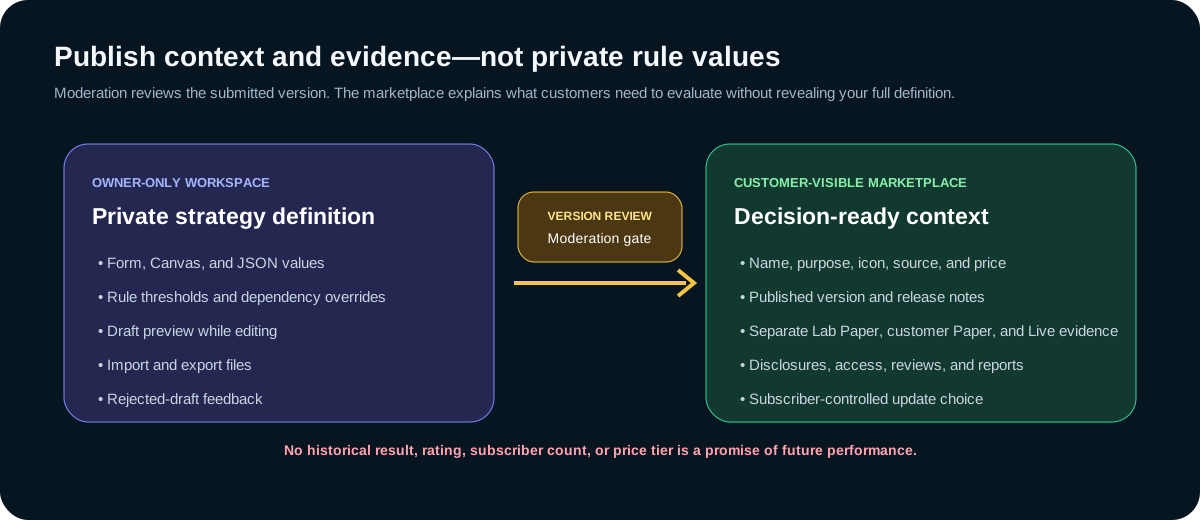
- Review marketplace identity
Confirm the name, icon, and description remain accurate and do not promise returns.
- Resolve every validation issue
Incomplete groups, unsupported metrics, invalid partners, and dirty JSON must be corrected.
- Run a fresh historical test
The submitted evidence must correspond to the latest saved definition.
- Write specific release notes
State what changed, the expected behavioral effect, and the settings or risks a subscriber should reconsider.
- Select Submit for review
Submission saves the version, records the test, sends it to moderation, and changes the status to Awaiting review.
- Wait for a decision
The version remains locked. If rejected, read the feedback, revise the next editable draft, retest, and resubmit.
Release updates without moving subscribers silently
An approved update never replaces a subscriber’s accepted version automatically. Subscribers see release notes and choose whether to update. That makes version notes a safety control, not marketing copy.
| Version event | Creator responsibility | Subscriber effect |
|---|---|---|
| Private draft saved | Preserve purpose and observations. | No public change. |
| Submitted | Do not imply approval while locked. | Current published version remains available. |
| Approved and published | Keep description, disclosures, and notes accurate. | New customers see the published version; existing subscribers review the update. |
| Subscriber accepts update | Support clear comparison and consequences. | That subscription adopts the approved version. |
| Archived | Stop new sales and preserve ongoing obligations. | Existing subscribers keep their accepted version. |
Manage, clone, archive, and delete responsibly
Open My creations, select an owned strategy, and use its creator actions.
| Action | Use it for | Consequence |
|---|---|---|
| Edit draft | Continue the next editable version. | Does not change the currently accepted subscriber version until review and acceptance. |
| Clone to private draft | Explore a materially different idea without rewriting the source strategy. | Creates separate private work with separate identity and lifecycle. |
| Archive | Stop new Marketplace sales when active subscribers still exist. | Existing subscriber access is preserved. |
| Delete | Permanently remove an eligible strategy with no subscriber constraint. | Cannot be undone. |
| Force delete & forfeit | Leave ownership of an archived strategy that still has active subscribers. | You permanently forfeit ownership and future revenue; accepted subscriber access can continue until subscriptions end. |
Read Creator analytics as operational evidence
Reporting → Creator analytics separates access, retention, Paper evidence, Live evidence, realized P&L attribution, estimated net MRR, and lifetime net. Do not combine them into one performance claim.
- Active access counts access records, not customers currently trading.
- Retention is a subscription-record ratio, not an investment return.
- Paper closes and win rate remain simulated evidence.
- Live closes and win rate reflect eligible completed real-money activity but remain historical.
- Realized P&L is customer activity attribution, not creator earnings.
- Estimated net MRR is an estimate, not an available payout.
- Lifetime net comes from creator-ledger records; use Billing for hold, availability, and payout state.
Keep publication, pricing, and earnings separate
Creators cannot set or inflate their own Marketplace price. Price progression depends on the platform’s published evidence and adoption rules. When eligible subscription revenue is recorded, the current Marketplace split is shown in Billing; pending hold, available balance, requested payout, paid amount, refunds, disputes, and adjustments remain distinct ledger states.
For the current 75% creator / 25% platform split, holding period, minimum payout, onboarding, ledger export, and cancellation boundaries, read Account, billing, and support → Creator earnings. The values shown in Billing control.
Publish as a responsible marketplace participant
- Describe purpose and uncertainty in plain language; never guarantee profit or imply suitability for everyone.
- Keep Lab Paper, customer Paper, and Live evidence labeled separately.
- Do not manipulate samples, reviews, adoption, pricing, ratings, or creator analytics.
- Do not copy private definitions or third-party intellectual property without permission.
- Do not expose customer information, credentials, balances, private communications, or provider records.
- Respond to moderation feedback and Marketplace reports without retaliating against customers.
- Maintain published descriptions and release notes when behavior or material risk changes.
- Retire work deliberately and preserve subscriber access and financial records where required.
Troubleshoot the Creator workflow
| What you see | Likely meaning | What to do |
|---|---|---|
| Creator plan required | Publication eligibility or capacity is not active. | Review Billing → Creator plan; your private Paper draft can remain available. |
| Current strategy limit reached | Your plan has no remaining private-strategy capacity. | Review usage, archive only when appropriate, or review plan capacity. |
| Condition groups incomplete | A group, rule, operator, threshold, timeframe, or required entry tree is invalid. | Open Form or JSON feedback and repair the named path. |
| Unsupported metric | The supplied key is not in the customer metric catalog. | Replace it with a supported metric from this page and retest. |
| Partner strategy rejected | A companion is missing, not author-owned, malformed, or beyond the limit. | Select at least one eligible strategy created by the same author. |
| Apply or restore JSON changes | The JSON editor contains unapplied text. | Fix validation and apply it, or restore the current draft. |
| Fresh historical test required | The latest saved definition has not produced the submission snapshot. | Resolve issues and submit again so the latest version is tested. |
| Release notes required | A submission lacks version context. | Explain what changed, expected behavior, and material review points. |
| Awaiting review / Draft locked | The submitted version is under moderation. | Wait for a decision; do not create duplicate submissions. |
| Preview has few or no closes | Rules may be restrictive, history short, or the market set inactive. | Read the window and assumptions; simplify one condition or observe longer in Paper. |
A careful creator operating routine
- State the hypothesis
Write what behavior you expect and the conditions that would challenge it.
- Set market and timing first
Make the universe, history, timeframe, and evaluation rhythm coherent before adding complexity.
- Define entry and sizing
Know what qualifies and how much exposure one candidate can create.
- Define every exit path
Review stop, hold, profit, trailing, signal exit, cooldown, and portfolio lock together.
- Preview for mistakes
Use the historical result to find broken assumptions, not to select only the most flattering configuration.
- Observe in Paper
Trace candidates, inactivity, positions, decisions, and completed records across changing conditions.
- Document the version
Record the change, intended effect, evidence window, limitations, and customer-facing consequence.
- Submit and steward
Respect moderation, subscriber choice, evidence labels, Marketplace reports, and retirement obligations.