
Paper and Live: two separate workspaces
Understand the different clocks, balances, settings, records, and consequences before you move between simulation and real execution.
Paper and Live can look similar because they use the same navigation and many of the same strategy concepts. They are not two views of one portfolio. They are separate operating workspaces: Paper is a simulation that sends no exchange orders; Live can direct real orders to the supported exchange account you select.
Two workspaces, two separate books
Think of your account as having two notebooks. The Paper notebook contains simulated cash, positions, fills, settings, and reports. The Live notebook reflects TraderLobby-attributed activity and account information associated with your selected exchange connection. A change in one notebook does not silently rewrite the other.
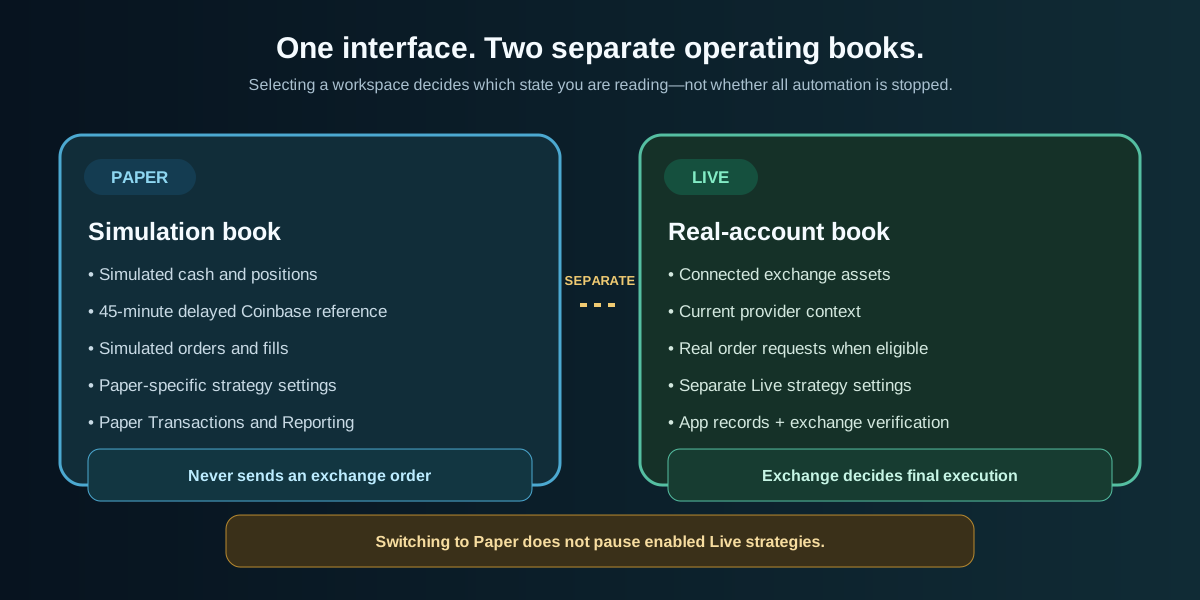
- Paper money stays in PaperAdding, removing, gaining, or losing simulated cash does not deposit, withdraw, buy, or sell anything in your exchange account.
- Strategy settings are mode-specificEnabling a strategy, choosing slots, or changing allocation in Paper does not automatically apply the same choice in Live.
- Records answer different questionsPaper records explain the simulation. Live records help you follow submitted activity, but the exchange is final for balances, accepted orders, fills, and provider fees.
- The selected page is not an automation switchYou can inspect Paper while Live automation remains enabled in the background. Always read the Trading state separately.
Paper and Live at a glance
| Question | Paper | Live |
|---|---|---|
| Can it send an exchange order? | No. Entries, exits, cash, positions, and fills are simulated. | Yes—only after account, provider, permission, strategy, budget, and safety requirements pass. |
| What funds does it use? | Simulated cash and positions that exist only in TraderLobby. | Real assets held in the connected exchange account selected as the default Live account. |
| What market clock does it use? | A disclosed delayed reference. The current workspace label is “Paper · Coinbase reference · 45m delayed.” | Current provider data for decisions and order checks, with no intentional Paper delay. Provider, network, and market latency can still exist. |
| Who determines an execution? | The Paper simulator records an assumed fill under simulation rules. | The exchange accepts, rejects, partially fills, or fills the request under its own rules and market conditions. |
| Where is the final record? | TraderLobby’s Paper positions, Transactions, and Reporting. | Your exchange account. TraderLobby provides attribution and monitoring context, but is not the custodian or exchange. |
| What is it best for? | Learning the interface, observing strategy behavior, testing settings, and practicing supervision. | Customer-directed execution after readiness checks and deliberate risk limits. |
| What can differ? | It cannot fully reproduce spread, slippage, liquidity, partial fills, outages, rejections, or provider fees. | Real price movement, fees, provider rules, liquidity, rejections, partial fills, and losses apply. |
| What happens when I switch away? | Paper state remains available when you return. | Enabled Live strategies can continue even while you are viewing Paper. |
The clocks are intentionally different
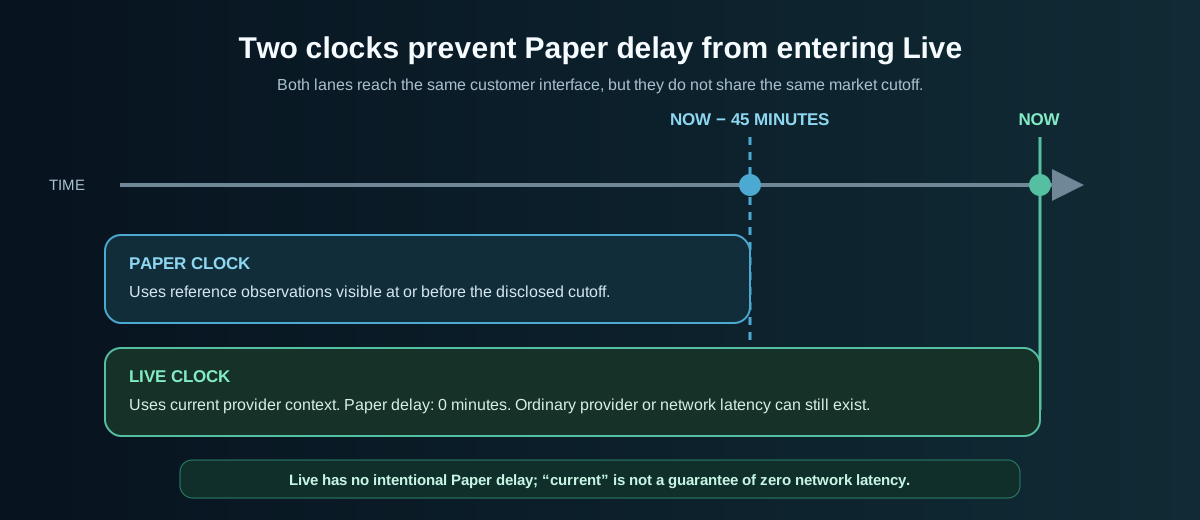
Paper and Live must never share the same effective market clock. TraderLobby applies the disclosed Paper cutoff before selecting visible prices and completed candles. Live uses the current Live context and reports a zero-minute Paper delay. This keeps Paper’s deliberate delay from leaking into Live decisions or order checks.
| Label or condition | How to interpret it |
|---|---|
| Paper · Coinbase reference · 45m delayed | You are viewing the simulation and its intentionally delayed reference context. Do not compare its displayed price to a current exchange screen as if they share a timestamp. |
| Live with a provider shown | You are viewing the real-account workspace associated with the selected valid connection. Confirm the provider and account before acting. |
| Current provider data | The app is not intentionally applying the Paper delay. It does not promise an instantaneous quote or uninterrupted provider availability. |
| Market estimate | A preview based on the available quote. It is not a guaranteed execution price, quantity, fee, or proceeds amount. |
| Stale or unavailable quote | The app should fail closed. Go back, obtain a fresh estimate, and review it again instead of repeatedly submitting. |
What Paper simulates
Paper is designed to teach the application’s operating rhythm without placing real orders. It can represent candidates, strategy decisions, position-slot use, entries, exits, fees recorded by the simulator, profit and loss, and reports. That makes it useful for learning where information appears and how your configuration changes the simulated book.
- A delayed market context becomes visible
Paper uses reference information no newer than its disclosed cutoff.
- A strategy evaluates an asset
A candidate may appear while the strategy continues checking its private rules and your visible settings.
- Eligibility is checked
Cash, allocation, existing ownership, position slots, and other safeguards can still prevent a simulated entry.
- The simulator records an outcome
If an action qualifies, Paper records a simulated order and fill rather than contacting an exchange.
- You follow the result
Trading, Transactions, and Reporting show how the simulated position and account changed.
Normal Paper behavior includes waiting. A candidate is not an order, an enabled strategy is not a promise to trade, and an empty period does not by itself mean the app is broken.
What Paper cannot reproduce
Simulation necessarily simplifies the real execution environment. Use Paper to understand workflow and observed behavior—not to prove future profitability or exact Live execution.
What Live actually changes
Live replaces the simulation’s money and execution boundary with your connected exchange account. TraderLobby still evaluates strategy eligibility and applies customer-visible controls, but a qualifying action becomes a signed request to the supported provider. The provider—not TraderLobby—makes the final acceptance and execution decision.
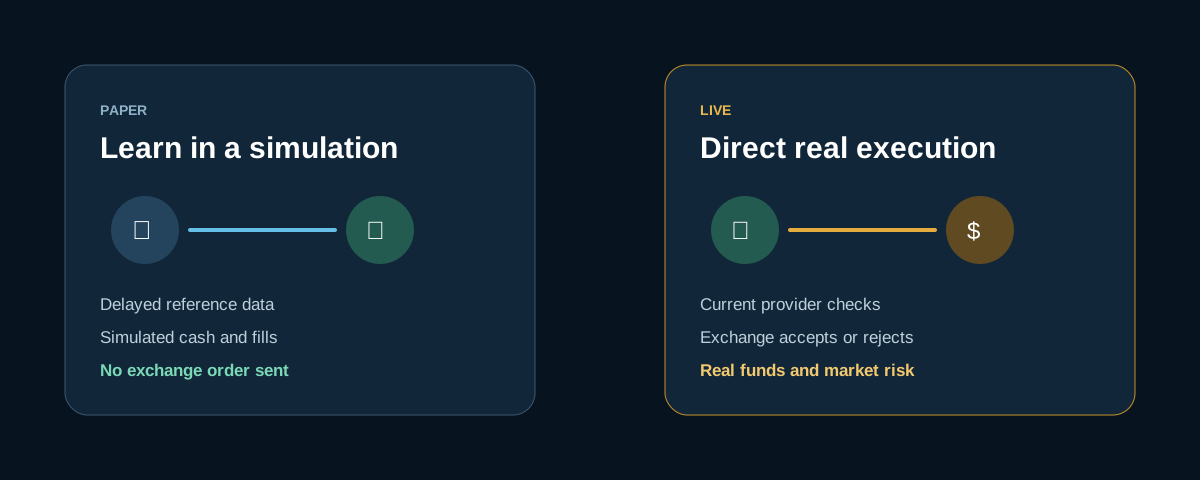
A Live order may be submitted and still receive no fill. It may fill in more than one part, at a different price from the estimate, or with a provider fee. Read the status and then verify the final result at the exchange before assuming your position changed.
Live readiness is a chain
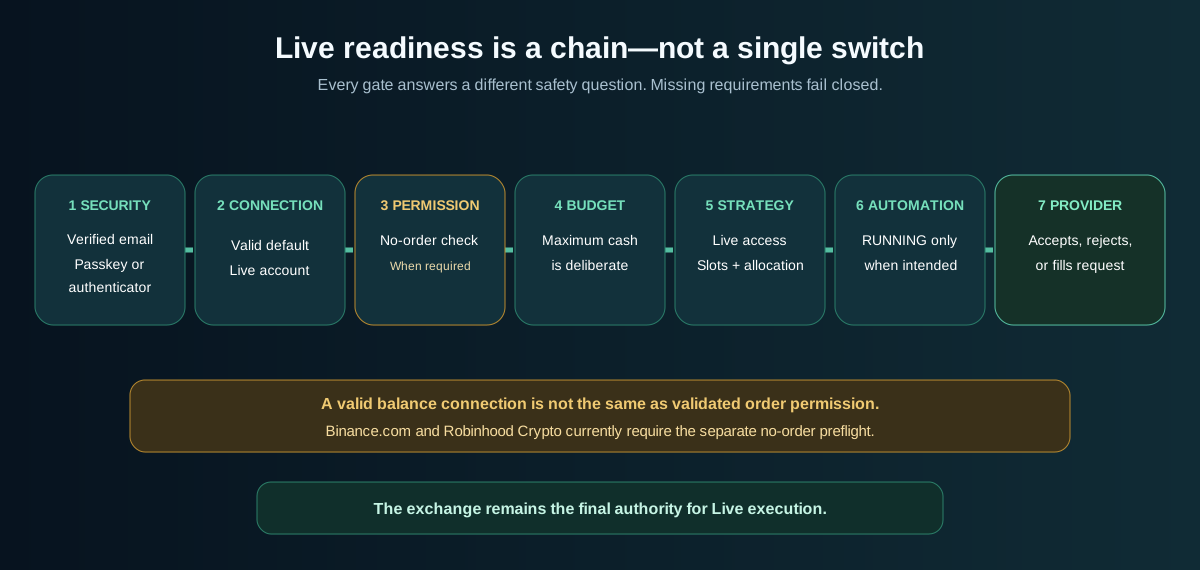
The Live selector is intentionally not the only gate. Each link below answers a different safety question. A valid balance connection does not by itself prove that real order submission is ready.
| Gate | What must be true | Where to check |
|---|---|---|
| Account security | Your email is verified and you have a passkey or authenticator protecting sign-in. | Settings and the message shown when you attempt Live. |
| Valid default connection | A supported connection is valid and explicitly selected as the default Live account. | API Connections; read the provider and connection name carefully. |
| Order permission validation | Where required—currently Binance.com and Robinhood Crypto—the saved connection has passed Confirm order permissions without placing an order. | The saved connection card in API Connections. |
| Capital boundary | Maximum cash TraderLobby may use is deliberate. A zero budget is safest during setup and prevents new Live entries. | The default connection card. |
| Strategy access and settings | The intended strategy is available in Live, enabled, and configured with the desired slots and allocation. | Strategies and the Live strategy settings card. |
| Automation state | Trading is RUNNING only when you intend automation to evaluate and act. | The persistent Trading status control. |
| Provider availability | The provider, market, credential, and account can satisfy the current request. | The response in TraderLobby and the authoritative exchange account. |
Switch workspaces without losing context
Changing the selected workspace clears and reloads mode-specific screen data so positions, history, and prices are not accidentally presented under the wrong label. Use this sequence every time you change modes:
- Read the current mode and Trading state
Confirm whether you are in Paper or Live and whether automation is RUNNING or paused. These are separate facts.
- Finish or cancel the current dialog
Do not switch modes halfway through reviewing an order or a consequential confirmation.
- Select the other workspace once
Allow the page to reload its mode-specific balances, positions, history, prices, and strategy state.
- Read the new source label
Paper should show its delayed Coinbase reference. Live should show the applicable provider context and must not show the Paper delay.
- Recheck the account and numbers
Confirm connection, cash, positions, strategy cards, and warnings before taking an action.
- Pause explicitly when that is your intent
Use the Trading control and wait for the paused status. Moving to Paper alone leaves enabled Live automation running.
Paper and Live strategy settings are separate
The same strategy can be configured differently in each workspace. This lets you experiment in Paper without silently authorizing the same exposure in Live.
| Control | What it governs | Important distinction |
|---|---|---|
| Decision engine | Whether that strategy may open new positions in the selected workspace. | Disabling new decisions does not automatically sell an existing position. |
| Position slots | Maximum concurrent holdings attributed to the strategy in that workspace. | A used slot can remain while a position or in-progress state exists. |
| Capital allocation | The per-entry amount or eligible-cash rule, still subject to cash, provider, minimum, and strategy limits. | Paper allocation uses simulated eligibility; Live allocation is bounded by real available cash and the connection budget. |
| Remove from Paper or Live | Stops that strategy’s participation in the named workspace according to the confirmation. | Removing a strategy and selling a position are different actions. Read the confirmation for open-position behavior. |
Read the header before the numbers
A dollar value without its mode, provider, and timestamp context can be misleading. Before interpreting the account summary or a position, answer these questions:
- Does the selector say Paper or Live?
- Does the market-source label match that mode?
- Does Trading say RUNNING or paused?
- In Live, which provider connection is selected as the default account?
- Is the number simulated, estimated, app-attributed, or exchange-reported?
- When was the balance or market value last refreshed?
In Live, a green “connected” indicator means the browser can currently communicate with TraderLobby. It does not guarantee that the exchange will accept the next request or that every displayed value is a fresh provider response.
Orders, fills, and the exchange record
| What you see | What it means | Safe next action |
|---|---|---|
| Candidate | A strategy is considering an asset. No order is implied. | Wait and inspect the candidate context; do not count it as a position. |
| Estimated market value or proceeds | A preview calculated before final exchange execution. | Review symbol, quantity, mode, and freshness. Expect the final result to differ. |
| Submitted or pending order | A request was sent or is awaiting a provider result. It is not necessarily filled. | Wait for the status; do not create a duplicate order. |
| Filled or partially filled | The provider reports executed quantity and price. | Review Transactions, refresh balances, and verify at the exchange. |
| Rejected or unavailable | A gate or provider prevented the action. | Read the safe error, check permissions, budget, cash, symbol, minimum, and provider status. Do not weaken security to force it. |
| Different exchange balance | The provider account and its external activity are authoritative. | Reconcile the provider’s orders, fills, fees, transfers, deposits, and withdrawals before continuing. |
Common situations
Before your first Live session
- I can identify Paper, Live, and the separate Trading RUNNING/paused state.
- My verified email and passkey or authenticator are under my control.
- I created a dedicated provider credential with only the requested read and spot-order permissions—never withdrawals or transfers.
- The correct connection is valid, selected as default, and its provider and account name are recognizable.
- I completed Confirm order permissions where the connection card requires it, understanding that the check places no order.
- My maximum cash budget is deliberate, affordable, and initially small.
- I reviewed the intended strategy’s separate Live slots, allocation, and decision-engine state.
- I know how to pause all automation and understand that switching to Paper does not pause Live.
- I know how to verify orders, fills, balances, and fees directly at my exchange.
What to read next
You now understand the boundary between simulation and real execution. Continue with the guide that matches the next job you want to perform.